UNITY VFX GRAPH · WRITTEN TUTORIAL
Unity VFX Graph: Attractor Force and Particle Trail Lines
By Eric VFX Studio · Published 2026-10-01 · Video: 20 min
QUICK ANSWER
In Unity VFX Graph, smooth trail lines are made by attracting particles toward a target and spawning strip particles that follow them through a GPU Event. Compared with a Trail Renderer, the lines stay smooth on sharp turns, can twist, and can switch looks just by changing the output context.
What you need
- Unity 2021.2 or later (the video uses 2021.2.17f1 with HDRP)
- Visual Effect Graph package
- Experimental Operators/Blocks enabled for the GPU Event block
Why use VFX Graph instead of a Trail Renderer
A Trail Renderer follows a single object and can look jagged on tight turns. Trails built in VFX Graph are driven by many particles on the GPU, so the lines stay smooth when they turn, can include a twisting motion, and can use different output contexts for different line styles.
Step 1: Enable GPU Event blocks
If you cannot find the GPU Event block, open Edit > Preferences > Visual Effects and enable Experimental Operators/Blocks. In the video this was needed in Unity 2021.2.
Step 2: Attract particles to a target
Create a particle system whose particles are pulled toward a target point by an attractor force. The pull makes particles curve and orbit around the target instead of moving in straight lines, which gives the trails their shape.
Step 3: Create the trailing line
- From the moving particles, trigger a GPU Event that spawns particles into a second system.
- Render the second system as a particle strip so the spawned particles connect into continuous lines.
- Tune lifetime, width, and color over the strip to control how long and how bright the trails are.
Step 4: Expose parameters instead of duplicating graphs
Expose the values you want to change, such as colors, speed, and attraction strength, as properties. You can then adjust each instance from the Inspector instead of creating multiple VFX Graph files.
Step 5: Try different outputs
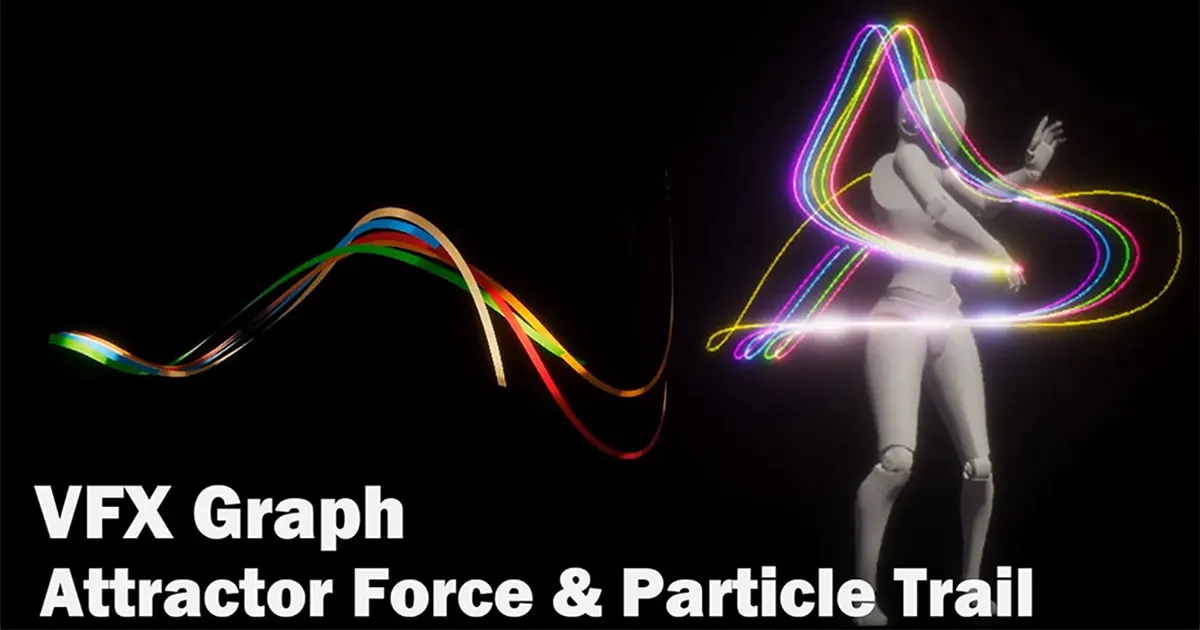
Switch or add output contexts to produce different line effects from the same simulation, for example thin glowing lines or wider ribbon-like strips.
Step 6: Attach the lines to a model
Finally, connect the target to a model so the lines follow its animation. Driving the target position from the model makes the trails react to the character’s movement.
FAQ
Why can’t I find the GPU Event block in VFX Graph?
Enable Experimental Operators/Blocks in Edit > Preferences > Visual Effects. The video needed this in Unity 2021.2.
Is this better than a Trail Renderer?
For many trails or fast curving motion, yes: VFX Graph trails stay smooth on turns, can twist, and run on the GPU. A Trail Renderer is simpler for a single moving object.